Overview
TaskMAster is a task management plugin for grandMA3. Create and organise multiple task lists directly inside your console. Track show prep, programming notes, snag lists, crew notes, and more, without ever leaving your MA3 workflow.
Features
Multiple Lists
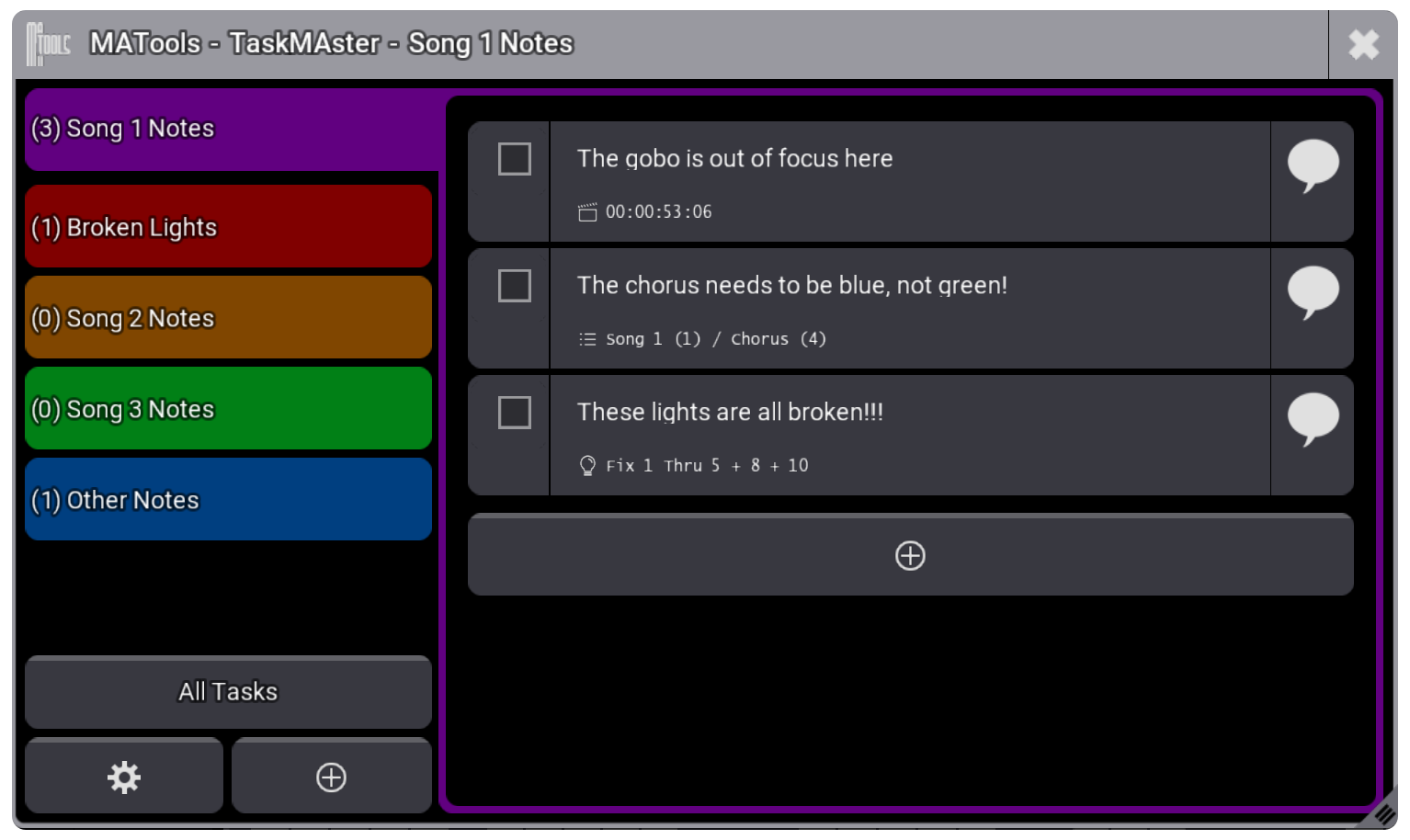
Organise your work into as many lists as you need — Show Prep, Programming Notes, Crew Tasks, or anything else. Each list is independently configurable with its own sort order, filter, and display settings. Switch between lists instantly from the left sidebar.
Rich Task Detail
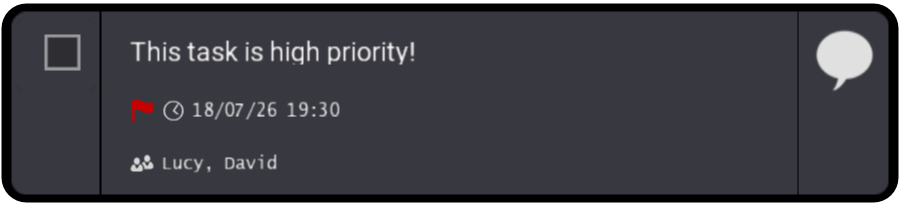
Every task supports a due date and time, priority level (High, Medium, Low, or None), and freeform comments. Tasks can be expanded inline to edit all fields without leaving the list view. Subtasks let you break down complex items into smaller steps, each with the same full feature set.
Use TaskMAster from the Command Line
Every TaskMAster action can be triggered directly from the grandMA3 command line or in a macro, no need to open the plugin window. Add tasks silently to any list, create new lists, and attach live timecode, cue, and fixture data, all from a single macro press.
Plugin TaskMAster
  "AddTask /List='Programming Notes'
  /Timecode /Cue /Selection"
Capture Show Data to a Task
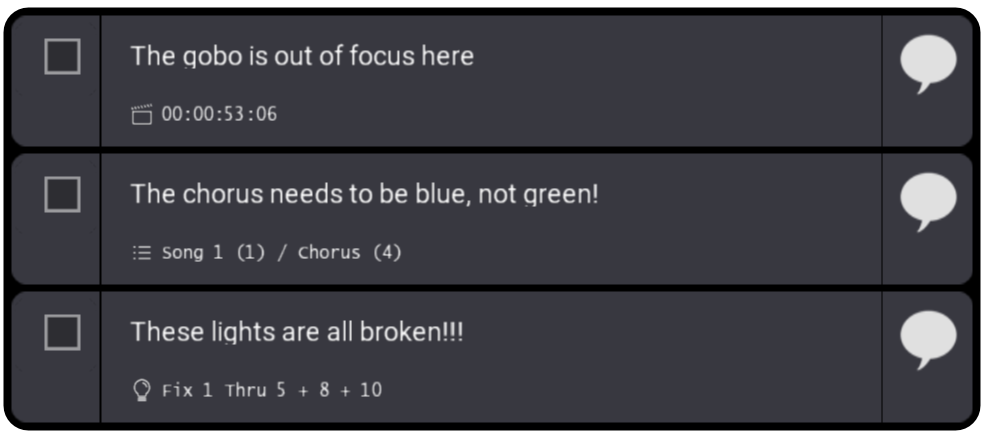
Stamp any task with live show data at the exact moment it matters. Whether triggered from a macro or directly inside the plugin, TaskMAster can capture three types of context:
- /Timecode — Records the current position of the active Timecode Slot, so you know exactly where in the show the note was made.
- /Cue — Logs the currently running sequence and cue number, ideal for flagging a moment that needs revisiting during the next programming session.
- /Selection — Gets the current fixture selection, so you can come back later and know exactly which fixtures the note applies to.
All three can be captured simultaneously. Captured data is displayed inline on the task, giving you instant context when you review your list later.
Sorting, Filtering & Search
Sort any list by due date, added date, last updated, alphabetically, or by priority. Filter down to tasks due today, this week, by priority level, or by who created or was assigned them. Use the Search setting to filter tasks by keyword, with a toggle between any-word and exact-phrase matching. All settings can be pushed to all lists at once with a single tap.
Works as a Widget or Popup
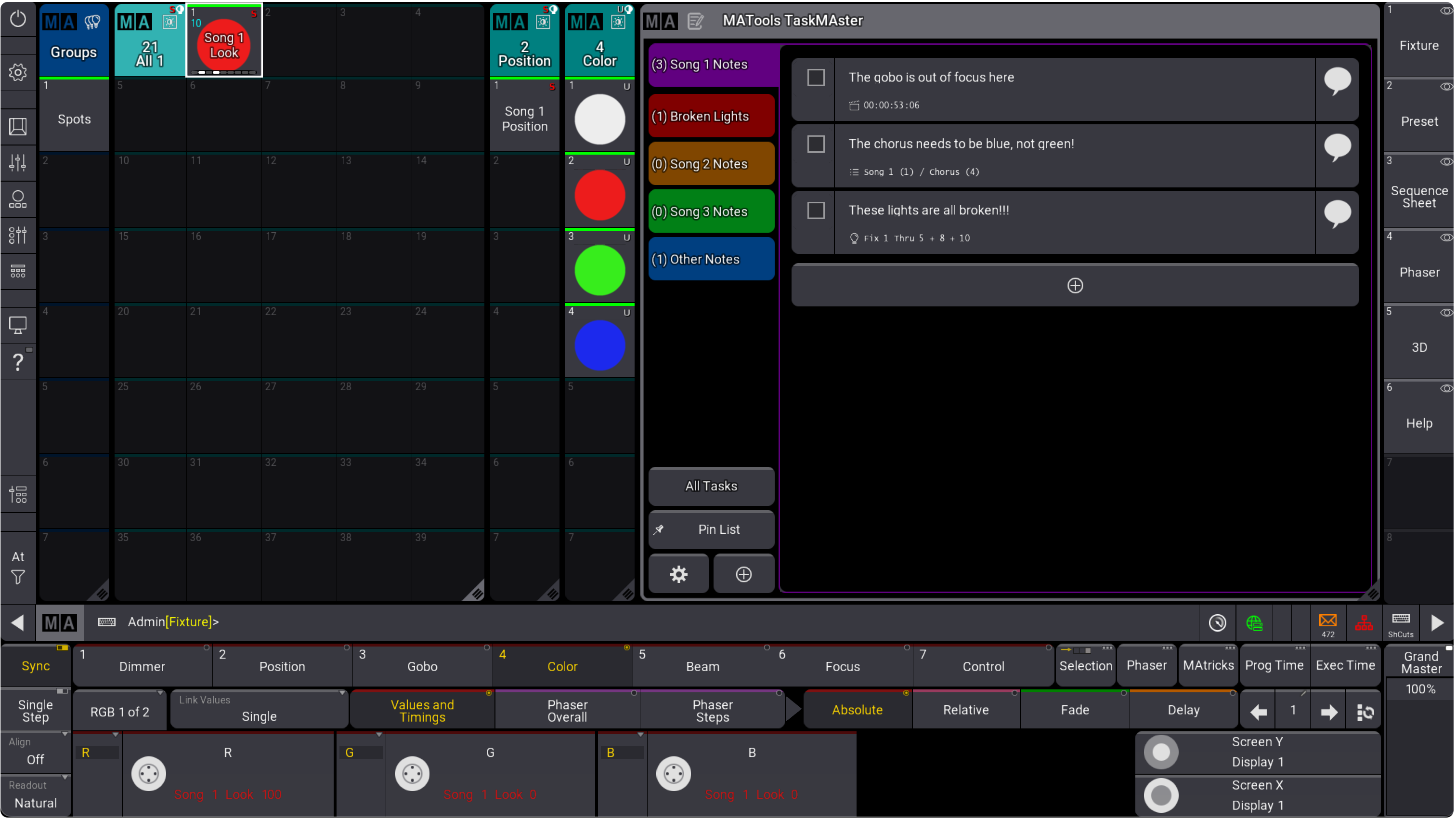
TaskMAster can be opened as a floating popup for quick access, or embedded as a permanent widget on any screen in your MA3 layout. Multiple widget instances are supported simultaneously, each able to pin to a different list independently.
Pin List
When using macros to log tasks, TaskMAster can automatically switch the visible list to match the macro's target — or you can pin the view to stay on a specific list while tasks accumulate elsewhere in the background. Toggle Pin List in the sidebar to switch between these two modes at any time.
Stays With Your Show File
All task data is stored directly inside the MA3 show file. Your lists and tasks travel with the show — no external files, databases, or sync services required. Everything is always available on any console running your show.