Comprehensive Backup Solution
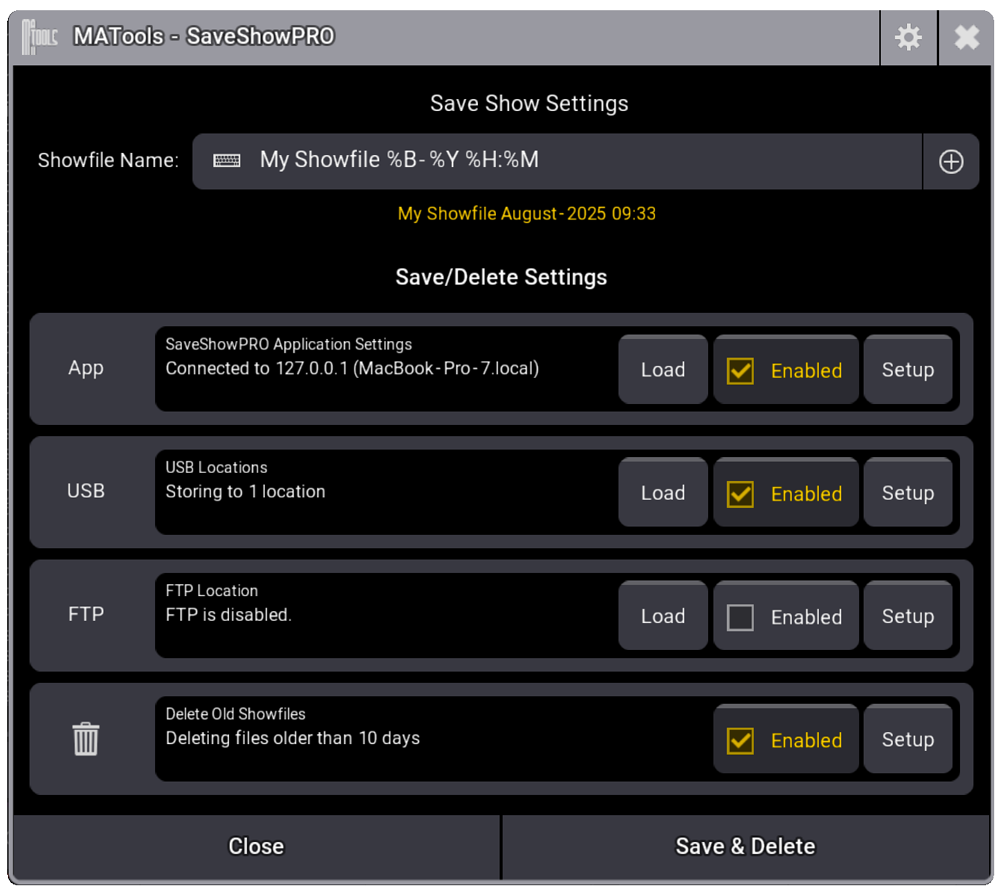
With support for multiple simultaneous backup destinations, automated naming conventions, and a powerful SaveShowPRO Companion App, your show data is always protected. SaveShowPRO allows you to save and load your showfiles to multiple locations, including USB drives, FTP servers, and our companion app running on your laptop or desktop computer.
Smart-Save
Automated Backups, Intelligently Managed
Smart-Save takes the worry out of show file management. Enable it once and let SaveShowPRO automatically protect your work at regular intervals - without cluttering your drives with hundreds of redundant files.
Why Smart-Save?
During a busy production, the last thing you want to think about is manually saving your show. But what happens when something goes wrong? A power cut, a software glitch, or an accidental change can cost you hours of work. Smart-Save runs quietly in the background, creating timestamped backups at your chosen interval-so you can always roll back to a known good state.
Intelligent Retention
Unlike simple auto-save features that either keep everything (filling your drives) or delete everything older than X days (losing valuable restore points), Smart-Save uses a tiered retention system. You decide how many backups to keep at each time interval:
- Recent backups - Keep more frequent saves from the last few hours
- Hourly snapshots - Retain key hourly checkpoints
- Daily archives - Preserve one backup per day for the past week
- Weekly & monthly - Long-term restore points for major milestones
This means you always have recent backups for quick recovery, plus older snapshots for those "I need to go back to last Tuesday" moments-all without manual intervention.
Companion App
Seamless Integration
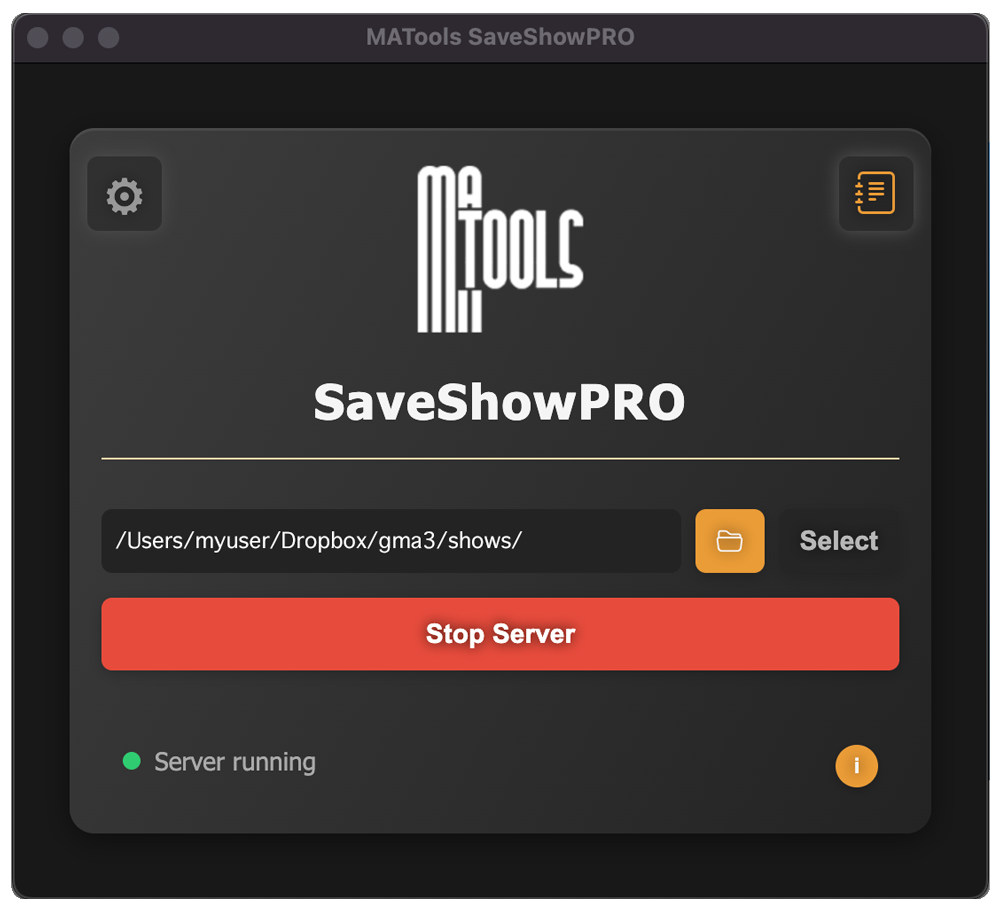
The SaveShowPRO Companion Server App creates a direct connection between your console and laptop or desktop computer. This handy companion app allows you to load and save showfiles to a selected drive on your laptop or desktop computer, this could be a DropBox, Google Drive, or any other cloud storage service, ensuring your showfiles are always backed up and accessible.
Key Features
Multiple Backup Destinations
Configure and enable multiple backup destinations simultaneously:
USB Drives
Back up directly to all or selected USB drives
FTP Servers
Connect to standard FTP servers from the console
Companion App
Auto-discovery of the SaveShowPRO Companion App on your local network to load and save showfiles to a selected drive on your laptop or desktop computer. Available for Windows and macOS
Disk Cleanup
Configure automatic deletion of old backups based on age to maintain storage efficiency.
Date & Time Variables
%d- Day of month (01-31)%m- Month (01-12)%B- Month name (January)%y- Two-digit year (23)%Y- Full year (2023)%H- Hour, 24-hour (00-23)%I- Hour, 12-hour (01-12)%M- Minute (00-59)%S- Second (00-59)%p- AM/PM%a- Abbreviated weekday (Wed)%A- Full weekday (Wednesday)%b- Abbreviated month (Sep)%x- Date (09/16/23)%X- Time (23:48:10)
Special Variables
$U- Current user$P- Current profile$AI- Auto-incrementing number
Example Formats:
Show_$P_$U_%Y-%m-%d Show_MainProfile_Operator_2023-08-05Production_%B_%d_v$AI Production_August_05_v001
Load From FTP or Companion App
Load show files directly from your FTP server location or the SaveShowPRO Companion App selected drive location.
Smart-Save Integration
Combine your custom filename format with Smart-Save to automatically protect your show at scheduled intervals. Smart-Save creates timestamped backup copies and intelligently manages storage-keeping recent backups for quick recovery while preserving key snapshots from hours, days, and weeks past.