Structured Marker & Region Workflow
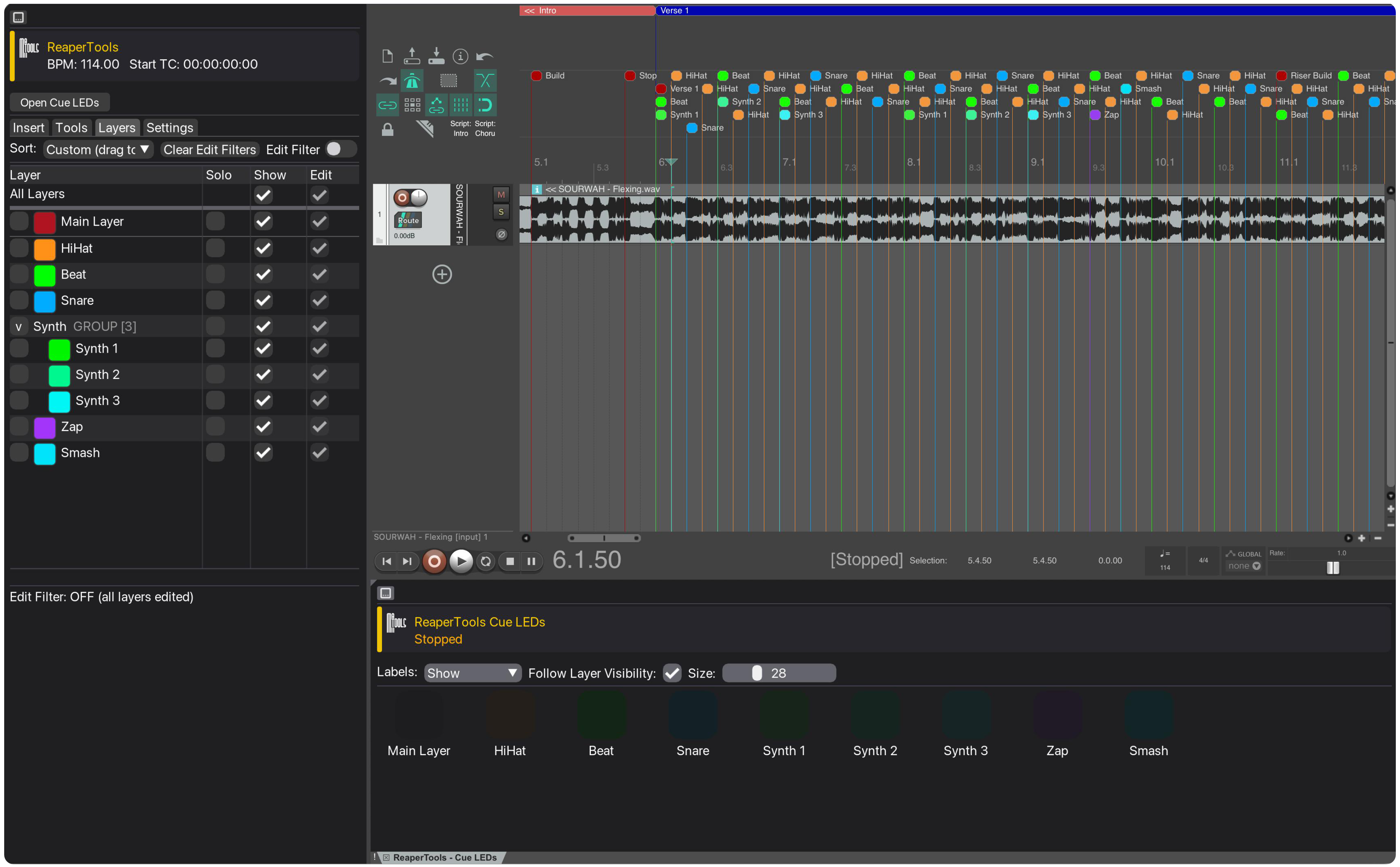
ReaperTools is a workflow layer for REAPER built around marker and region management. It provides a faster, more structured way to organise timeline information, build repeatable show structure, and work with layered marker logic. Designed for lighting programmers, video programmers, and technical creatives, it helps you work musically, structurally, and consistently within complex sessions.
Why ReaperTools
Built for Marker-Heavy Workflows
While REAPER is extremely flexible, marker-heavy projects often become difficult to manage at scale. ReaperTools introduces a clearer working model on top of the timeline, allowing you to organise structure, define regions, and manage layers of information more deliberately.
The result is a project that is easier to read, easier to maintain, and better suited to technical programming workflows where timing, structure, and visibility are critical.
Marker Management
Fast, Consistent Marker Creation
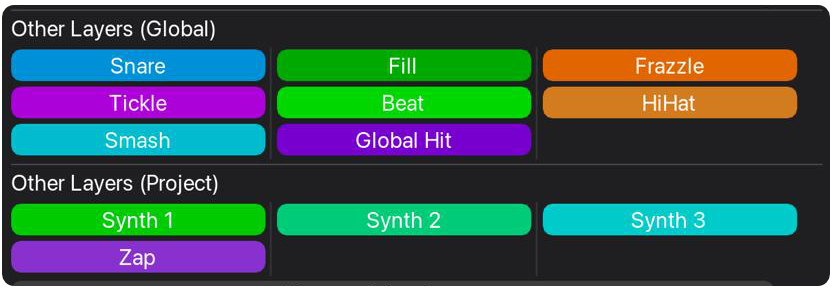
Replace manual marker entry with a controlled system designed for speed and consistency. ReaperTools allows you to define reusable markers, apply automatic colouring, and maintain a structured approach to timeline annotation.
Region Management
Generate Regions from Structure
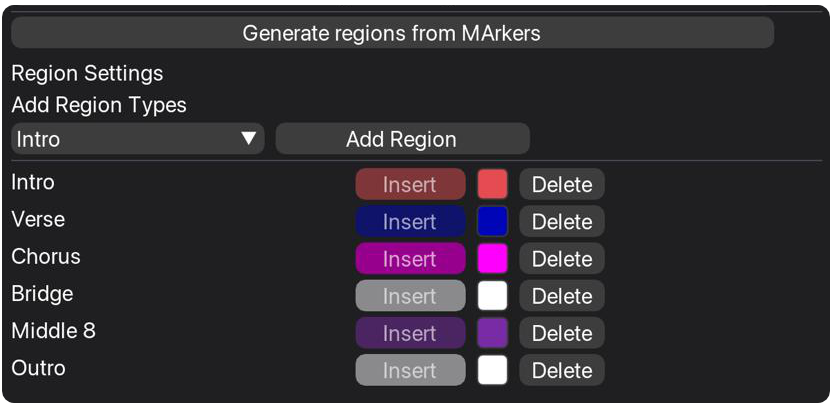
Automatically generate regions from your timeline markers, removing the need for repetitive manual selection. Define which markers should create regions and let ReaperTools build your structure in seconds.
Layer Logic
Organise with Marker Layers
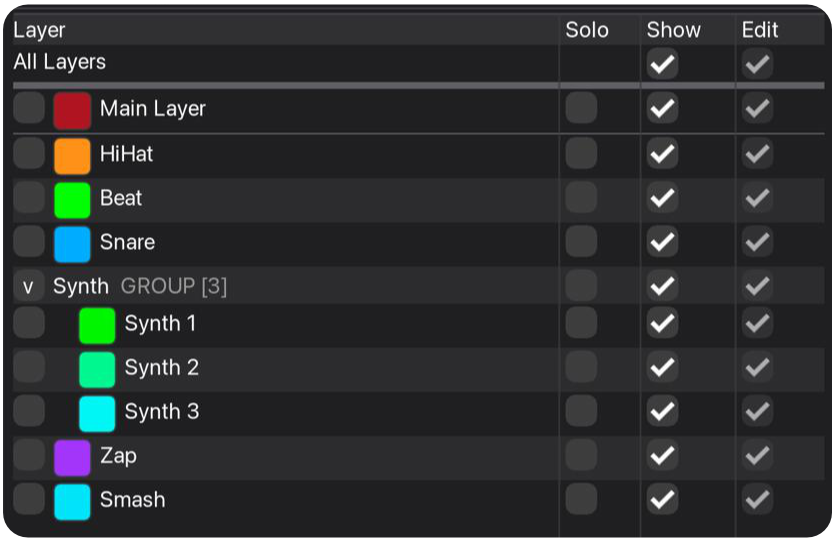
Separate different types of timeline information using a layered marker system. ReaperTools introduces a clear distinction between structural markers, reusable global elements, and project-specific details.
This layered approach reduces clutter, prevents accidental edits, and allows you to focus on the information that matters most at any point in your workflow.
Musical Marker Manipulation
Edit Markers with Musical Precision
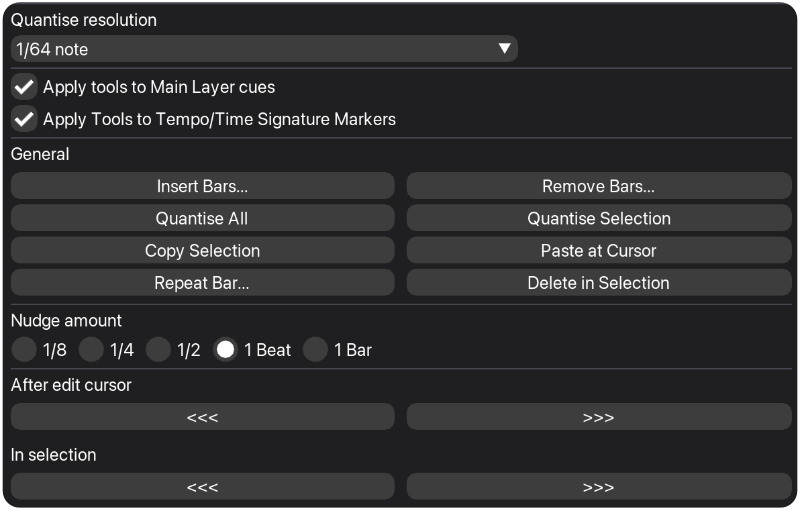
ReaperTools supports practical, music-driven editing workflows for markers. Instead of manually adjusting positions, you can work in a way that aligns directly with the structure of your track.
This makes it significantly easier to build and maintain repeating musical structure, allowing you to extend sections or replicate patterns without starting from scratch each time.